Any Formwork And Other Temporary Revit 2020 And Dynamo 2.1
Date: 27 August 2022 | Posted by: voska89
Last updated 4/2020
MP4 | Video: h264, 1280x720 | Audio: AAC, 44.1 KHz
Language: English | Size: 1.89 GB | Duration: 2h 40m
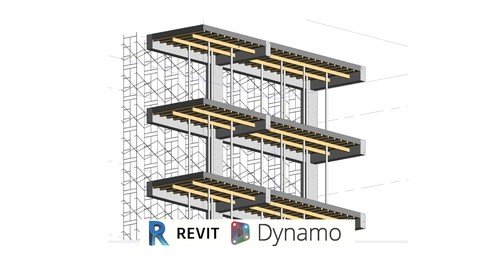
Create Formwork for all concrete elements and scaffolding using Revit 2020 and Dynamo 2.1
What you'll learn
How to create formwork on Floors, Structural Columns and Structural Framings using custom nodes
How to create formwork to irregular shaped elements
How to get quantities of those elements
Create Temporary Work Elements
Requirements
Need to know how to model in Autodesk Revit
Need to know Dynamo Modeling Basics for Geometry Analysis and Player
Have taken the Modeling from Zero with Dynamo
Description
This course it's part of a new series of developments towards bringing Dynamo as main platform tool on BIM processes for any type of project, its designed to teach you how to create any type of formwork to elements so it can be quantify and track backFormworks was not modeled before dynamo because of its difficulty to model and it was previously solve by painting, with this course all formwork can be created and set so that it can be quantify, simulated and also be tracked back.On this course we will explore possibilities for enabling this workflowsWe will explore custom nodes for specific approaches so that your own toolkit can be created, tools for Revit Modeling, Tools for Dynamo Programming and Mixed Tools for other workflowsDynamo its been used all over the world for speeding up Revit Models, Enabling impossible modeling, Project Management, QTOS and Documents, and to set around workflows between different types.Unravel your full potential for Modeling and Programming and enjoy at any time the freedom of possibilities to make technology work the way you need it to.Take advantage of posting questions, and join on all channels to be UpToDate for all the amazing possibilities that in any time can transform your way of working, to change it forever
Overview
Section 1: Introduction
Lecture 1 Introduction
Lecture 2 Temporary Works Presentation
Section 2: Dynamo Introduction
Lecture 3 Resources
Lecture 4 Basic Overview of Packages Tools and Lists
Lecture 5 Extraction of Revit Elements
Lecture 6 Solids and Topologies
Lecture 7 Custom Node Creation
Lecture 8 Extract Faces for Columns and Foundations
Section 3: Formwork
Lecture 9 Extracting elements from a Link
Lecture 10 Adaptive Component Formwork Square
Lecture 11 Direct Shape of Irregular Elements
Lecture 12 Making Square Shapes to Fit on Voided Shapes
Lecture 13 Floor Formworks with Surface element
Lecture 14 Floor Formwork with Metalical elements
Lecture 15 Structure Floor Elements
Lecture 16 Creating Column Structure
Lecture 17 Finishing Metalic Formwork
Lecture 18 Improving the Function
Section 4: Scaffolding
Lecture 19 Creating a Scaffolding Family
Lecture 20 Finishing the Scaffolding Family
Lecture 21 Setting the location of the Scaffolding structure
Lecture 22 Placement of Scaffolding on a modular set
Construction Site People that what to create formwork from different elements.,Structural Engineers that what to solve their elements of how they might be created.
Homepage
https://www.udemy.com/course/afotrvtdyn/DOWNLOAD LINK

https://rapidgator.net/file/01948732edc5267d6099c8dacf613d6c/uctbv.Any.Formwork.And.Other.Temporary.Revit.2020.And.Dynamo.2.1.part1.rar.html
https://rapidgator.net/file/9f2f5df5d558274ad8906b285ed70b33/uctbv.Any.Formwork.And.Other.Temporary.Revit.2020.And.Dynamo.2.1.part2.rar.html

https://uploadgig.com/file/download/194a60dA6bC1A382/uctbv.Any.Formwork.And.Other.Temporary.Revit.2020.And.Dynamo.2.1.part2.rar
https://uploadgig.com/file/download/9184F23b3936464f/uctbv.Any.Formwork.And.Other.Temporary.Revit.2020.And.Dynamo.2.1.part1.rar

https://nitroflare.com/view/6AB5753A60E8B49/uctbv.Any.Formwork.And.Other.Temporary.Revit.2020.And.Dynamo.2.1.part1.rar
https://nitroflare.com/view/DBA475A727F3BE3/uctbv.Any.Formwork.And.Other.Temporary.Revit.2020.And.Dynamo.2.1.part2.rar
Links are Interchangeable - No Password - Single Extraction
See full article