Dreamweaver - Coding Your First Website Using Dreamweaver
Date: 20 August 2022 | Posted by: voska89
Last updated 7/2019
MP4 | Video: h264, 1280x720 | Audio: AAC, 44.1 KHz
Language: English | Size: 589.76 MB | Duration: 2h 10m
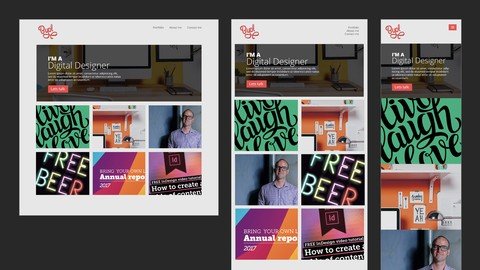
Create a beautiful, responsive website and publish it with the newest and most useful tricks from Dreamweaver.
What you'll learn
Build a responsive website
Use Dreamweaver CC 2017 proficiently
Understand HTML and CSS basics
Create a mobile friendly website
Requirements
You'll need a copy of Dreamweaver CC 2017 or above. A free 30 day trial can be download from Adobe.
Basic design knowledge will be helpful
If you're not sure if this course is right for you. Email me what you're trying to do and check if you're on the right track.
Description
Hi - my name is Dan and I'll be leading you through this course on how to code responsiveВ websites using Dreamweaver CC.
These are the skills you'll need to become a professional web designer. You'll learn how to make responsive websites in Dreamweaver.
We cover everything you need to build your first website. From creating your first page through to uploading your website to the internet. Creating mobile, tabletВ and desktop versions.
I'm a Dreamweaver Certified Instructor and an Adobe Certified Web Specialist.
With exercise files you can download and work along with me. At the end of each video I have a downloadable version of where we are in the process so you can compare your project with mine making it easy to see where you might have a problem.
I'll be showing you how to work with Dreamweaver to easily create HTML & CSS websites. How to create mobile and tablet versions of your design and how to test your website on your phone.
I'll be teaching you how to create navigation bars using the ever so popular 'burger menu' style.
This course is full of the foundation techniques to be a front end web developer. By completing this, you'll have an excellent insight to what it takes to take a step into the wonderful career of Web Design!
Now it's time to upgrade your skills, get that better job and impress your clients.
Note:В A piece of the course that references the website 'slicknav' is now no longer accurate as the slicknav site has been taken down, however the files needed to complete the course are a part of the exercise files so you won't be missing out on anything!
Overview
Section 1: Overview
Lecture 1 Introduction
Lecture 2 What we'll be building and resources
Section 2: Building our first mobile friendly web page
Lecture 3 Our first HTML & CSS web page
Lecture 4 Making your site responsive
Section 3: Creating a navigation
Lecture 5 Creating a navigation hamburger menu
Lecture 6 Styling our responsive navigation menu
Lecture 7 Real time preview on phone & tablet
Section 4: Creating the content for your website
Lecture 8 Working with typography on a website
Lecture 9 Creating our hero box
Lecture 10 Adding our image grid
Section 5: Publishing
Lecture 11 Publishing your website to the internet
Section 6: Conclusion
Lecture 12 Lasts things now that you're a coder
Lecture 13 Dreamweaver Cheat Sheet
This course is for creatives who want to implement their design knowledge into the web industry,Entrepreneurs ,Dreamweaver users that want to update their skills to the newest release,This course is suited for people that want to learn the basics of coding a website
Homepage
https://www.udemy.com/course/coding-for-designers-in-dreamweaver-cc-2017/DOWNLOAD LINK
Download from UploadCloud
https://www.uploadcloud.pro/zb6hkg1grfhv/jhwmj.Dreamweaver..Coding.Your.First.Website.Using.Dreamweaver.rar.html

https://rapidgator.net/file/334d8372ef19915fbc9b79ba9a2d6cea/jhwmj.Dreamweaver..Coding.Your.First.Website.Using.Dreamweaver.rar.html

https://uploadgig.com/file/download/c3dEded3103a052a/jhwmj.Dreamweaver..Coding.Your.First.Website.Using.Dreamweaver.rar

https://nitroflare.com/view/396CAEA633C78FC/jhwmj.Dreamweaver..Coding.Your.First.Website.Using.Dreamweaver.rar
Links are Interchangeable - No Password - Single Extraction
See full article