How To Create Digital Abstract Art Using Free Tools
Date: 20 August 2022 | Posted by: voska89
Last updated 7/2022
MP4 | Video: h264, 1280x720 | Audio: AAC, 44.1 KHz
Language: English | Size: 2.02 GB | Duration: 3h 59m
Learn to Make Abstract Designs For Art Printables & Print On Demand Products (For Beginners)
What you'll learn
How to Create Digital Abstract Art Designs Using FREE Programs & Tools
How to Use Digital Abstract Art For Printables and Print On Demand Products For Passive Income
How to Create These Designs As A Total Beginner with No Previous Design Experience
Where to Get Free Graphics For Your Designs
A Hands-On, Assignment-Based Tutorial Where You Can Create A Design Right Along With Me
Requirements
A working internet and desktop and/or laptop
A desire to learn, be creative and HAVE FUN!
Actually go through the course to receive the value. It's jam packed from start to finish.
Description
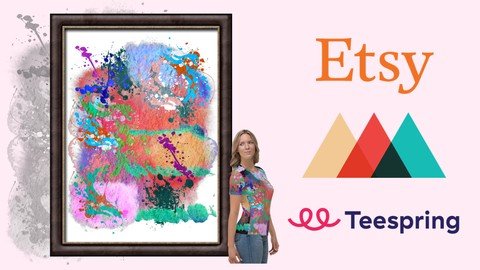
You guys are in for a treat!In this course, I'm showing you how to create digital abstract art - using FREE graphic design tools & programs. You can create your physical products on sites like Teespring & Printful to sell on the platform & marketplace of your choice - and/or - you can upload your digital designs to your Etsy store as art printables - hence opening up a potential stream of passive income.When using print-on-demand companies, you are in a position to make different products to sell to your buyers. While you can create some epic text-based t-shirts, mugs, phone cases, etc - with abstract art, you can use your designs to create an entirely new set of products with things like all-over shirts, hoodies, and leggings - expanding your market, reach and inventory.Plus, this really kicks your creative nature into high gear. You get to be totally unique and create a variety of designs you never thought you'd be capable of. You'll go from "I have no idea what I'm doing" to "WOW! I can totally do this!"This is a hands-on beginner's course. No fluff - just action.If you want to learn how to create stunning designs using a timeless form of art - all the while using your art to make physical (and digital) products for personal, creative or commercial purposes, this is the course for you.
Overview
Section 1: Introduction
Lecture 1 Introduction
Lecture 2 Disclaimer
Section 2: Free Design Tools & Resources
Lecture 3 Free Graphics on Pixabay
Lecture 4 Design Bundles Freebies
Lecture 5 Creative Fabrica Free Tools
Lecture 6 Creative Market Free Goods
Section 3: Create Your Abstract Art Design
Lecture 7 Grab Your Resources
Lecture 8 Finding Inspiration For Your Art
Lecture 9 New Material for Graphics
Lecture 10 Grab Some Graphics
Lecture 11 Alternative Site For Free Graphics
Lecture 12 Some Inexpensive Options If You Want to Expand On Your Design Elements
Lecture 13 Course Structure
Lecture 14 Ninjaunits for Free Image/Unit Conversions
Lecture 15 Introduction to Ipiccy
Lecture 16 Choosing an 11x14" Size
Lecture 17 Create the Design
Lecture 18 Adding to and Enhancing the Design
Lecture 19 Adding An Optional Background and Exporting to the Editor
Lecture 20 Additional Design Options Using Editor
Lecture 21 Finished with Ipiccy, On To PiZap
Lecture 22 Introduction to PiZap
Lecture 23 Creating the Design
Lecture 24 Using the Paint Feature
Lecture 25 More Creative Editing Features in PiZap
Lecture 26 Introducing Lunapic to Edit and Add Additional Design Options to Our Image
Lecture 27 Introduction to Canva
Lecture 28 Different Design, Same Graphics
Lecture 29 Create A Transparent Background For the Canva Image Using Lunapic
Lecture 30 Thanks For Sticking With the Course Changes
Section 4: Increase/Change Image Resolution
Lecture 31 A Short Walk Through Talking About Image Resolution Options
Lecture 32 How to Determine and Set Image Resolution
Lecture 33 Resize Image Using Get Paint
Lecture 34 Alternatives to Paint.Net For Mac Users
Section 5: How to Create Physical Products Out Of Your Design
Lecture 35 Mockup Generator Is Now Called Design Maker
Lecture 36 Introduction to Printful
Lecture 37 Standard All-Over-Print Shirt
Lecture 38 More Advanced and Creative Techniques with All Over Print Shirts
Lecture 39 Generating Files For Your Mockups
Lecture 40 Make Sure to Save Print Files of Your Mockups
Lecture 41 Perfectly Replicate Your Mockup Design Placements to Your Products
Lecture 42 All-Over-Print Flip Flops
Lecture 43 Create All-Over-Print Pillows
Lecture 44 All Over Print Shirt Using Our PiZap and Lunapic Designs
Lecture 45 All Over Print Flip Flops with New Design
Lecture 46 Moving On To Teespring
Lecture 47 Introduction to Teespring
Lecture 48 All-Over-Print Shirt
Lecture 49 Designing Our Teespring Products
Section 6: Listing OurDesign On Etsy As An Art Printable/Digital Download Product
Lecture 50 Create a Mockup
Lecture 51 Create A Watermark
Lecture 52 Introduction to Etsy
Lecture 53 Choose Your Shop Name
Lecture 54 Create Your Listing
Section 7: Conclusion
Lecture 55 Bonus Lecture
Section 8: New Updated Add-On Content
Lecture 56 New Content Description
Lecture 57 How to Change the Color of a Graphic Using iPiccy HTML
Beginner students looking to learn new graphic art skills & techniques to create additional designs for their products.
Homepage
https://www.udemy.com/course/passive-income-how-to-create-sell-digital-abstract-art/DOWNLOAD LINK

https://rapidgator.net/file/cea4c5c84a42d183bc36b47d2867e544/sumqr.How.To.Create.Digital.Abstract.Art.Using.Free.Tools.part1.rar.html
https://rapidgator.net/file/91b1e2ae99ebcc6105af4b2f2abfebe0/sumqr.How.To.Create.Digital.Abstract.Art.Using.Free.Tools.part2.rar.html
https://rapidgator.net/file/6600a1e91dc208cb8d13cf9ccacbc3be/sumqr.How.To.Create.Digital.Abstract.Art.Using.Free.Tools.part3.rar.html

https://uploadgig.com/file/download/7ef0D387d1994d2f/sumqr.How.To.Create.Digital.Abstract.Art.Using.Free.Tools.part1.rar
https://uploadgig.com/file/download/c3818c53D36624d9/sumqr.How.To.Create.Digital.Abstract.Art.Using.Free.Tools.part2.rar
https://uploadgig.com/file/download/D1a015c7fea228Bc/sumqr.How.To.Create.Digital.Abstract.Art.Using.Free.Tools.part3.rar

https://nitroflare.com/view/57A21F24FC62FAB/sumqr.How.To.Create.Digital.Abstract.Art.Using.Free.Tools.part1.rar
https://nitroflare.com/view/103EC9E5D481485/sumqr.How.To.Create.Digital.Abstract.Art.Using.Free.Tools.part2.rar
https://nitroflare.com/view/0B224D0FB6F0281/sumqr.How.To.Create.Digital.Abstract.Art.Using.Free.Tools.part3.rar
Links are Interchangeable - No Password - Single Extraction
See full article