Complete Pic Microcontroller Course From Zero To Hero
Date: 14 August 2022 | Posted by: voska89
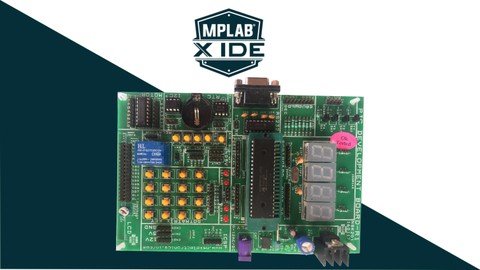
Last updated 3/2022
MP4 | Video: h264, 1280x720 | Audio: AAC, 44.1 KHz
Language: English | Size: 4.52 GB | Duration: 8h 31m
Deep dive into 8-Bit PIC microcontroller programming by reading the datasheet
What you'll learn
Programming PIC microcontroller in MPLAB X IDE with XC8 Compiler
You will learn how to program a PIC Microcontroller from scratch with datasheet approach
Build your own projects with the PIC microcontroller..
You will be learning all the peripherals programming from scratch no libraries used in MPLAB X IDE
The class starts from the basics of setting up a microcontroller programming and hardware environment.
Requirements
Basic knowledge on electronics components
Basic knowledge on C programming
Download and Install Proteus Professional all other software links are provided
Basic circuit building skills from schematics
Description
Over a 47+ lecture videos, 8.5+ Hours of Full HD Content that will take you in an interactive learning to not only master the coding of PIC Microcontroller, but also learn the very basics of PIC Microcontroller internal structure and hardware schematics required for building your own products out of PIC microcontroller, how it really works, it's parts and how your code is working inside the CPU of a Microcontroller. Hi, welcome you all to this course on Programming on PIC16F877A microcontroller From Scratch.The course is structured for the need of learners to understand microcontrollers from scratch till you master your skills. This course is the outcome of the experience I gained after training many of graduate students and working professionals in person, and with my expertise in the field of embedded systems. Few basic Embedded C concepts are also covered.SM Training Academy invites you all to enroll in this course and explore the world of embedded systems with step by step guidance by own expert trainers to excel in their career. There is no better way to master and understand the PIC microcontroller than joining this course. Whatever you want to learn is available in this course and also we will be updating the course with new lectures in a periodical manner. So join the course and enjoy learning.
Overview
Section 1: Introduction to the Microcontroller
Lecture 1 Introduction to PIC16F877A microcontroller
Section 2: Hardware & Software used in the Course
Lecture 2 Hardware & Software used in the Course
Lecture 3 Dowloading and installing MPLAB X IDE with XC8 compiler from website
Lecture 4 Project creation in MPLAB X IDE
Section 3: General Purpose Input Output (GPIO) OF PIC16F877A
Lecture 5 Port structure and pin layout of PIC16F877A
Lecture 6 GPIO register configuration for PIC16F877A
Section 4: LED's with PIC16F877A
Lecture 7 Interfacing of single LED with PIC16F877A
Lecture 8 Interfacing of 8 LED's to single port of PIC16F877A
Section 5: 7-Segment Display's with PIC16F877A
Lecture 9 7-Segment display structure and working principle explained
Lecture 10 Interfacing of 7-Segment display with PIC16F877A
Section 6: Multiplexing 7segment display
Lecture 11 Multiplexing 7Segment Display Explained
Lecture 12 Multiplexing 7segment Display's using polling method
Section 7: 16x2 LCD's with PIC16F877A
Lecture 13 16x2 Liquid Crystal Display working principle explained
Lecture 14 Interfacing of 16x2 LCD with PIC16F877A in 8-Bit mode format
Lecture 15 16x2 Liquid Crystal Display working principle in 4-Bit mode explained
Lecture 16 Interfacing of 16x2 LCD with PIC16F877A in 4-Bit mode format
Section 8: PushButton's with PIC16F877A
Lecture 17 Digital input devices working logics explained
Lecture 18 Interfacing of pushbutton with PIC16F877A
Section 9: 4x3 Keypad's with PIC16F877A
Lecture 19 Matrix keypad working principle explained
Lecture 20 Interfacing 4x3 matrix keypad with PIC16F877A
Section 10: Relay's with PIC16F877A
Lecture 21 Relay Working Principle Explained
Lecture 22 Interfacing Relay with PIC16F877A
Section 11: External Interrupt in PIC16F877A
Lecture 23 Microcontroller Interrupt working principle explained
Lecture 24 External Interrupt programming in PIC16F877A
Section 12: Timer in PIC16F877A
Lecture 25 Timer Interrupt working principle explained
Lecture 26 Timer Interrupt programming (Delay Generation) in PIC16F877A
Section 13: Multiplexing 7Segment Display using Timer Interrupt in PIC16F877A
Lecture 27 Multiplexing 7Segment Display using Timer Interrupt
Section 14: (ADC) Analog to Digital Converter in PIC16F877A
Lecture 28 ADC Module in microcontroller working explained
Lecture 29 ADC Register configuration in PIC16F877A
Lecture 30 Building digital thermometer (LM35) using PIC16F877A
Lecture 31 Interfacing variable resistor with PIC16F877A
Section 15: PWM in PIC16F877A
Lecture 32 PWM signals working explained
Lecture 33 PWM Register configuration in PIC16F877A
Lecture 34 Fading LED using PWM signals in PIC16F877A
Section 16: Internal EEPROM in PIC16F877A
Lecture 35 Accessing Internal EEPROM in PIC16F877A
Section 17: UART Serial Communication protocol in PIC16F877A
Lecture 36 Serial (UART) communication working explained
Lecture 37 UART Register configuration in PIC16F877A
Section 18: HC05 Bluetooth Module with PIC16F877A
Lecture 38 HC05 Bluetooth Module testing
Lecture 39 Interfacing HC05 Bluetooth module with PIC16F877A
Section 19: EM-18 RFID Module with PIC16F877A
Lecture 40 EM18 RFID Module testing
Lecture 41 Interfacing EM18 RFID module with PIC16F877A
Section 20: SPI Communication protocol in PIC16F877A
Lecture 42 SPI Communication protocol working explained
Lecture 43 SPI Register configuration for PIC16F877A
Lecture 44 Interfacing 25AA160A EEPROM with PIC16F877A through SPI
Section 21: I2C Communication in PIC16F877A
Lecture 45 I2C communication protocol working explained
Section 22: Building digital clock using PIC16F877A
Lecture 46 Digital clock part-1 I2C configuration in PIC16F877A
Lecture 47 Digital clock part-2 I2C configuration in PIC16F877A
Lecture 48 Building Digital clock part-3 using PIC16F877A
Anyone with a curiosity for making electronics,People with some experience in electronics,People with an beginner knowledge of embedded systems
Homepage
https://www.udemy.com/course/programming-on-pic16f877a-microcontroller-from-scratch/DOWNLOAD LINK

https://rapidgator.net/file/2c2d3652b1d7200c127a115d918697d9/ogtgi.Complete.Pic.Microcontroller.Course.From.Zero.To.Hero.part3.rar.html
https://rapidgator.net/file/3af29a7ab4dd54f972d9ef16ed19e207/ogtgi.Complete.Pic.Microcontroller.Course.From.Zero.To.Hero.part1.rar.html
https://rapidgator.net/file/5ca62a93006e5dd5f8ea541d06653814/ogtgi.Complete.Pic.Microcontroller.Course.From.Zero.To.Hero.part4.rar.html
https://rapidgator.net/file/87ec3783f624b8691368e40c3aa79de6/ogtgi.Complete.Pic.Microcontroller.Course.From.Zero.To.Hero.part2.rar.html
https://rapidgator.net/file/af2a447673c6231b9f06d524b2b26c4a/ogtgi.Complete.Pic.Microcontroller.Course.From.Zero.To.Hero.part5.rar.html

https://uploadgig.com/file/download/232a6D2ecbbadE83/ogtgi.Complete.Pic.Microcontroller.Course.From.Zero.To.Hero.part5.rar
https://uploadgig.com/file/download/27F491d40444A3a3/ogtgi.Complete.Pic.Microcontroller.Course.From.Zero.To.Hero.part4.rar
https://uploadgig.com/file/download/444f88a8d45b7686/ogtgi.Complete.Pic.Microcontroller.Course.From.Zero.To.Hero.part3.rar
https://uploadgig.com/file/download/4543FccF40087a94/ogtgi.Complete.Pic.Microcontroller.Course.From.Zero.To.Hero.part2.rar
https://uploadgig.com/file/download/c9e0e6B8433803ce/ogtgi.Complete.Pic.Microcontroller.Course.From.Zero.To.Hero.part1.rar

https://nitroflare.com/view/06F56CDD112AC16/ogtgi.Complete.Pic.Microcontroller.Course.From.Zero.To.Hero.part3.rar
https://nitroflare.com/view/0BA8AF686A3F2C5/ogtgi.Complete.Pic.Microcontroller.Course.From.Zero.To.Hero.part5.rar
https://nitroflare.com/view/2EF8A260DD43E6B/ogtgi.Complete.Pic.Microcontroller.Course.From.Zero.To.Hero.part2.rar
https://nitroflare.com/view/8799135497D8CAA/ogtgi.Complete.Pic.Microcontroller.Course.From.Zero.To.Hero.part1.rar
https://nitroflare.com/view/BE8F43E6910120B/ogtgi.Complete.Pic.Microcontroller.Course.From.Zero.To.Hero.part4.rar
Links are Interchangeable - No Password - Single Extraction
See full article