Create Cinematic Architectural Renders - Vray For Sketchup
Date: 29 July 2022 | Posted by: voska89
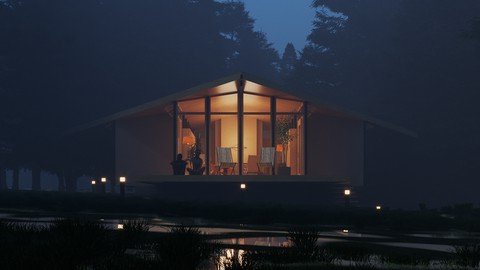
Published 7/2022
MP4 | Video: h264, 1280x720 | Audio: AAC, 44.1 KHz
Language: English | Size: 1.30 GB | Duration: 1h 27m
Learn to create cinematic architectural renders with our brand new Archviz Masterclass
What you'll learn
Learn to create Cinematic Architectural Renders
Learn to landscape in Sketchup with various Scattering Tools
Learn to adjust Environmental Fog & Aerial Perspective in Vray for Sketchup
Learn to render for various platforms
Requirements
Some Intermediate Knowledge of Sketchup is Required
Description
Learn how to create cinematic architectural renders in Sketchup using Vray and how to use lighting and fog to create various moods and styles.WHY THIS COURSE?Exercise Files - Exercise files like Sketchup Models for every lesson so you can follow along step by step. Access to Exclusive Student Community Group on Facebook/Discord/Linkedin - you will get free access to our community groups wherein you can get help & support in your Sketchup journey. Downloadable Resources - Get free access to our Material Library &В Scenes for further practice.Q&AВ Support and Access to me - I will answer all your queries & questions on the Q&AВ forum on Udemy and help you in your journey. What more could you ask for!В WHO IS THIS COURSE FOR?CGВ Artists3DВ ArtistsArchviz EnthusiastsInterior DesignersArchitectsHobbyistsSet DesignersFurniture DesignersCADВ Draftsmen/womenAnyone with an interest in the field of Architectural DesignStudents of Architecture/Interior Design(note that this course will be taught on the windows version but the same techniques can be applied on Mac as well)WHAT YOU WILL LEARN?Here are the contents of this class:Cleaning up the ModelUsing purerefUsing Trees to tweak lightsLearn to use the Vray Scatter Feature to scatter objects in SceneLearn to use Skatter 2 for greater control &В flexibilityCreate a stream effect for the foreground of your renderAnd more!Special Features ProvidedDownloadable Scenes, complete with all V-Ray SettingsExclusive Student Group on Facebook/Linkedin/DiscordBy the end of this course, you will be able to create professional-looking Cinematic Renders directly within Sketchup using Vray 5 and more useful plugins.
Overview
Section 1: Introduction
Lecture 1 Introduction
Lecture 2 Cleaning up the Model
Lecture 3 Using Pureref
Lecture 4 Setting up the Camera Views
Lecture 5 Setting up the Natural Light
Lecture 6 Using Trees to tweak Lights - Vray Scatter
Lecture 7 Adding Artificial Lights
Lecture 8 Adding Grass with Vray Scatter
Lecture 9 Adding Trees with Skatter 2
Lecture 10 Adding Grass with Skatter 2
Lecture 11 Adding a Stream Effect in the Scene
Lecture 12 Create Architectural Materials
Lecture 13 Adding Render Elements
Lecture 14 Final Render
CG Artists,Archviz Enthusiasts,Architects,Students,3D Artists
Homepage
https://www.udemy.com/course/create-cinematic-architectural-renders-vray-for-sketchup/DOWNLOAD LINK
Download from UploadCloud
https://www.uploadcloud.pro/j3r2hi9deyjy/joapo.Create.Cinematic.Architectural.Renders..Vray.For.Sketchup.part2.rar.html
https://www.uploadcloud.pro/pkj49yuguz1a/joapo.Create.Cinematic.Architectural.Renders..Vray.For.Sketchup.part1.rar.html

https://rapidgator.net/file/7c92d0b8250fa30e8d1800bd09aa2b0e/joapo.Create.Cinematic.Architectural.Renders..Vray.For.Sketchup.part1.rar.html
https://rapidgator.net/file/7dabf26f15639c2a5ab06b4a81565f48/joapo.Create.Cinematic.Architectural.Renders..Vray.For.Sketchup.part2.rar.html

https://uploadgig.com/file/download/32db2062090b5324/joapo.Create.Cinematic.Architectural.Renders..Vray.For.Sketchup.part2.rar
https://uploadgig.com/file/download/9e9bccfB0730ADa1/joapo.Create.Cinematic.Architectural.Renders..Vray.For.Sketchup.part1.rar

https://nitroflare.com/view/6EFDFE66B28CEA7/joapo.Create.Cinematic.Architectural.Renders..Vray.For.Sketchup.part1.rar
https://nitroflare.com/view/ADD9D9DB3E9D7F3/joapo.Create.Cinematic.Architectural.Renders..Vray.For.Sketchup.part2.rar
Links are Interchangeable - No Password - Single Extraction
See full article