Udemy - Photoshop High-End Retouching Masterclass
Date: 4 March 2022 | Posted by: voska89
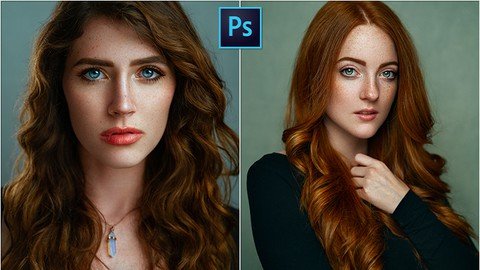
MP4 | Video: h264, 1280x720 | Audio: AAC, 44.1 KHz
Language: English | Size: 2.56 GB | Duration: 3h 40m
Learn high-end Photoshop retouching techniques for studio and outdoor portrait photography.
What you'll learn
High-quality, non-destructive skin retouching
Dodge & Burn as an alternative to Frequency Separation
Processing images in Camera Raw
Cleaning up blemishes and other texture issues
Evening out skin while maintaining realism
Contouring the face to add definition and dimension
Retouching, defining and sharpening eyes
Color correcting skin hue issues
Adding style and color in Photoshop
Sharpening and exporting from Photoshop
Requirements
You need Adobe Photoshop
A basic understanding of Photoshop is recommended
Description
Whether you're new to portrait editing or have been retouching for a while now, you're probably here because you're looking to learn how to create a higher-quality retouch.
What sets a high-quality retouch apart from an average retouch? If you can create a result that looks like real skin and makes the model look like herself, yet she still looks flawless - you've created a high-quality retouch! Popular trends are moving away from airbrushed-looking images, where models are made to look like porcelain dolls. Instead, we are moving towards images that feel unretouched and "real".
Often, basic techniques such as frequency separation can create results that look over-edited. The techniques taught in this tutorial will instead create a very natural result that maintains the complete structural integrity and all the texture of the model's skin!
You will learn a retouching workflow that is centered around quality and efficiency. The techniques are unique and novel and can be applied to any portrait shot (daytime / studio / nighttime / etc.). This tutorial will take your retouching game to the next level!
Who this course is for
Beginners in portrait retouching
Intermediate to advanced portrait retouchers
Retouchers who want to learn an alternative to Frequency Separation
Retouchers who want to improve their current skills and add new tools to their arsenal
Homepage
https://www.udemy.com/course/retouching-masterclass/DOWNLOAD LINK
Download (Uploadgig)
https://uploadgig.com/file/download/F93fd192ac1C0a63/t6dbu.P.H.R.M.part1.rar
https://uploadgig.com/file/download/c23B5dCf4015292e/t6dbu.P.H.R.M.part2.rar
https://uploadgig.com/file/download/5660f5e674f4AcC1/t6dbu.P.H.R.M.part3.rar
Download ( Rapidgator )
https://rapidgator.net/file/d6698dc864bb36e010a6d5e8cf5ae17a/t6dbu.P.H.R.M.part1.rar.html
https://rapidgator.net/file/73cb114247e3a828cf8f89d0889af14c/t6dbu.P.H.R.M.part2.rar.html
https://rapidgator.net/file/032a296a212c69d86436d3b6b1002b89/t6dbu.P.H.R.M.part3.rar.html
Download ( NitroFlare )
https://nitro.download/view/A3358B038A85617/t6dbu.P.H.R.M.part1.rar
https://nitro.download/view/E4F13178D7C1FCC/t6dbu.P.H.R.M.part2.rar
https://nitro.download/view/9A5434811B0E16E/t6dbu.P.H.R.M.part3.rar
https://uploadgig.com/file/download/F93fd192ac1C0a63/t6dbu.P.H.R.M.part1.rar
https://uploadgig.com/file/download/c23B5dCf4015292e/t6dbu.P.H.R.M.part2.rar
https://uploadgig.com/file/download/5660f5e674f4AcC1/t6dbu.P.H.R.M.part3.rar
Download ( Rapidgator )
https://rapidgator.net/file/d6698dc864bb36e010a6d5e8cf5ae17a/t6dbu.P.H.R.M.part1.rar.html
https://rapidgator.net/file/73cb114247e3a828cf8f89d0889af14c/t6dbu.P.H.R.M.part2.rar.html
https://rapidgator.net/file/032a296a212c69d86436d3b6b1002b89/t6dbu.P.H.R.M.part3.rar.html
Download ( NitroFlare )
https://nitro.download/view/A3358B038A85617/t6dbu.P.H.R.M.part1.rar
https://nitro.download/view/E4F13178D7C1FCC/t6dbu.P.H.R.M.part2.rar
https://nitro.download/view/9A5434811B0E16E/t6dbu.P.H.R.M.part3.rar
Links are Interchangeable - No Password - Single Extraction
See full article