ON1 Resize AI 2026.4 v20.4.1.18862 Multilingual (x64)
Date: 24 June 2026 | Posted by: voska89
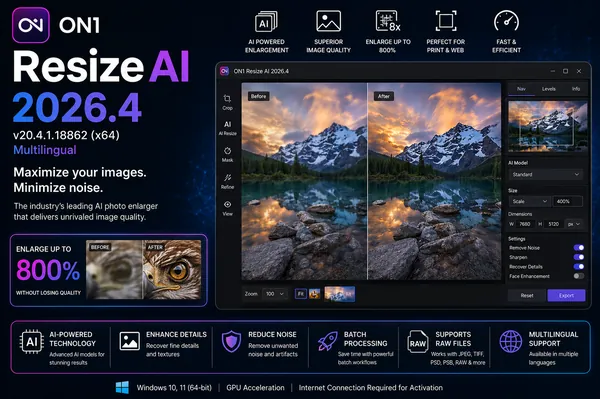
ON1 Resize AI 2026.4 v20.4.1.18862 (x64) Multilingual Fast Links | 362.2 Mb
ON1 Resize AI is a professional photo enlargement and print preparation application built around ON1's renowned Genuine Fractals® technology. Designed for photographers, print studios, and creative professionals, it enables high-quality image upscaling while preserving fine details, sharpness, and overall image clarity.
The software combines advanced resizing algorithms with powerful printing, browsing, and batch-processing tools, making it easy to prepare images for large-format prints, canvas wraps, photo packages, and commercial output. Whether you need to enlarge a single image or process hundreds of files, ON1 Resize AI provides efficient workflows without compromising image quality.
Available as both a standalone application and a plugin, the software integrates seamlessly into popular photography workflows while offering flexible tools for image organization, RAW processing, and professional print production.
Key Features:
Photo Enlargement and Print Tools:
Canvas Wrap and Layout Features:
Advanced Workflow Features:
Built-in Browse Module:
RAW Processing Engine:
Additional Features:
Workflow Integration:
Supported Languages:
English, German, Spanish, French, Japanese, Korean, Simplified Chinese, Russian, Portuguese, Italian, Dutch.
System Requirements:
Minimum
Operating System : Windows 10, 11 (current maintenance releases, 64 bit only)
Processor: Intel Core i5, Xeon, or better processor(s)
RAM: 8 GB
Hard Drive: 1.5 GB for installation
Graphics: OpenGL 3.3 compatible video card with 512 MB VRAM, DirectX 12, 1280x800 resolution (at 100% scale factor)
Home Page
- Industry-leading Genuine Fractals® technology
- High-quality photo enlargement and upscaling
- Preserves image sharpness and fine details
- Resize photos up to 1000%
- Advanced fractal-based interpolation algorithms
- Professional print preparation tools
- Standalone application and plugin support
Photo Enlargement and Print Tools:
- Create large-format photo enlargements
- Maintain image quality during scaling
- Generate high-resolution print-ready files
- Professional print layout controls
- Custom paper size configuration
- Printer profile management
- Margin and output adjustments
- Built-in print workflow tools
Canvas Wrap and Layout Features:
- Create gallery-quality canvas wraps
- Automatically extend image edges
- Prepare photos for stretcher bars
- Design wall portraits and print packages
- Create contact sheets
- Print multiple photos on one page
- Support for custom print layouts
- Watermark integration before printing
Advanced Workflow Features:
- Batch processing for large photo collections
- Control output size and file format
- Custom naming and export options
- Apply watermarks during export
- Gallery wrap processing in batches
- Efficient multi-image workflows
Built-in Browse Module:
- Fast photo browsing and organization
- Instant folder-based photo access
- Preview images without importing
- Sort and tag photo collections
- Manage metadata efficiently
- Quick image selection and culling
RAW Processing Engine:
- Integrated RAW image processing
- Enhanced color preservation
- Improved detail retention
- Fast RAW file rendering
- Optimized image quality workflow
Additional Features:
- Compressed Photoshop PSD output
- Lossless PSD file size reduction
- Open storage system compatibility
- Access local, network, and cloud storage
- Flexible workflow integration
- Optimized performance improvements
Workflow Integration:
- Adobe Photoshop plugin support
- Adobe Lightroom integration
- Apple Photos workflow compatibility
- Standalone editing environment
- Flexible professional photography workflows
Supported Languages:
English, German, Spanish, French, Japanese, Korean, Simplified Chinese, Russian, Portuguese, Italian, Dutch.
System Requirements:
Minimum
Operating System : Windows 10, 11 (current maintenance releases, 64 bit only)
Processor: Intel Core i5, Xeon, or better processor(s)
RAM: 8 GB
Hard Drive: 1.5 GB for installation
Graphics: OpenGL 3.3 compatible video card with 512 MB VRAM, DirectX 12, 1280x800 resolution (at 100% scale factor)
Home Page
https://www.on1.com/DOWNLOAD LINK
Links are Interchangeable - No Password - Single Extraction
See full article