Windows 11 Enterprise/Iot Enterprise 25H2 Build 26200.7840 With Office 2024 Pro Plus Multilingual Preactivated February 2026
Date: 16 February 2026 | Posted by: voska89
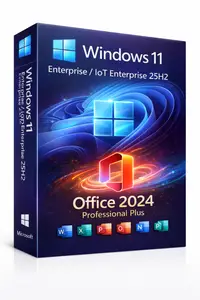
Free Download Windows 11 Enterprise/Iot Enterprise 25H2 Build 26200.7840 With Office 2024 Pro Plus Multilingual Preactivated February 2026 | 9.56 GB
No TPM Required |
Languages: Arabic, English, German, Greek, French, Spanish, Italian, Portuguese (Portugal), Portuguese (Brazil), Turkish, Dutch, Czech, Norwegian
Windows 11 version 25H2 is an enablement update built on top of 24H2, delivering continuous innovation features rather than a complete feature overhaul. This release introduces accessibility improvements, AI-powered enhancements, stronger security options, and new IT management capabilities.
Included Updates:
Accessibility Improvements
Passkeys Support
Time & Language Enhancements
Improved Mobile Experience
Click-to-Do AI Enhancements
Quick Machine Recovery
Removable Preinstalled Apps
Security & Cleanup
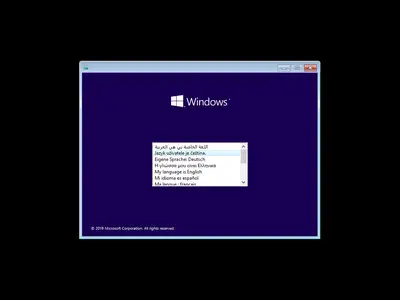
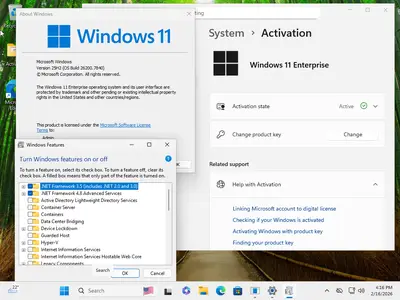
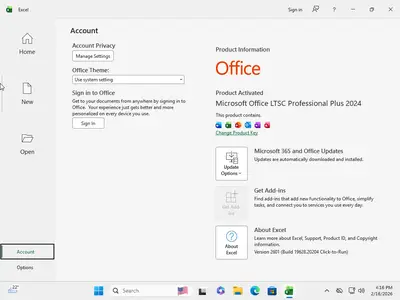
- Windows 11 updated to 25H2 Build 26200.7840
- Office 2024 Pro Plus updated to v2601 Build 19628.20204
Key Features – For Users
Accessibility Improvements
- New Braille Viewer integrated into Narrator.
- Displays braille equivalent of on-screen text on refreshable braille displays.
Passkeys Support
- Support for plug-in credential managers.
- Enhanced security and easier passkey management.
Time & Language Enhancements
- Additional Control Panel settings migrated to the Settings app.
- Configure additional clocks.
- Change NTP time server directly from Settings.
Improved Mobile Experience
- Redesigned mobile companion layout.
- Easier access to calls, messages, photos, and notifications from your phone.
Click-to-Do AI Enhancements
- New "Convert to Table" feature (convert text directly to Excel tables).
- More flexible and intelligent content selection options.
Key Features – For IT Administrators
Quick Machine Recovery
- Reduces system downtime.
- Simplifies system recovery procedures.
- Improves enterprise reliability and stability.
Removable Preinstalled Apps
- IT admins can remove selected Microsoft Store apps.
- Supported via Group Policy or MDM CSP.
- Available for Enterprise and EDU devices.
Security & Cleanup
- Removal of legacy components such as PowerShell 2.0.
- WMIC removed for improved security and efficiency.
System Requirements
- Processor: 2 GHz or faster
- RAM: 2 GB minimum
- Free Disk Space: 40 GB
- Graphics: DirectX 9 compatible or newer
- Display: 1024 x 768 resolution minimum
- Internet: Required for Microsoft Store access and app downloads
- Touch: Requires touchscreen-supported device
Homepage
https://www.microsoft.comDOWNLOAD LINK
Rapidgator
h8xho.Win.11.Enter.Iot.Office.26200.7840.part1.rar.html
h8xho.Win.11.Enter.Iot.Office.26200.7840.part2.rar.html
h8xho.Win.11.Enter.Iot.Office.26200.7840.part3.rar.html
DDownload
h8xho.Win.11.Enter.Iot.Office.26200.7840.part1.rar
h8xho.Win.11.Enter.Iot.Office.26200.7840.part2.rar
h8xho.Win.11.Enter.Iot.Office.26200.7840.part3.rar
FreeDL
h8xho.Win.11.Enter.Iot.Office.26200.7840.part1.rar.html
h8xho.Win.11.Enter.Iot.Office.26200.7840.part2.rar.html
h8xho.Win.11.Enter.Iot.Office.26200.7840.part3.rar.html
Links are Interchangeable - No Password - Single Extraction
See full article