Adobe Lightroom Classic 2026 v15.1.1 (x64) Multilingual Portable
Date: 21 January 2026 | Posted by: DrZero
File size: 7.21 GB
Edit and organize your photos with the app that's optimized for desktop. Lightroom Classic gives you powerful one-click tools and advanced controls to make your photos look amazing. Easily organize all your photos on your desktop, and share in a variety of ways.
Your best shots. Made even better.
Your photos don't always reflect the scene the way you remember it. But with Lightroom Classic, you have all the desktop editing tools you need to bring out the best in your photographs. Punch up colors, make dull-looking shots vibrant, remove distracting objects, and straighten skewed shots. Plus, the latest release offers improved performance so you can work faster than ever.
- With better performance under the hood, Lightroom Classic lets you import photos, generate previews, and move from Library to Develop Module in record time.
- Use range masking tools to easily select the areas or objects you want to edit based on their color, luminance, or depth.
- Create HDR panos faster now that you can merge multiple bracketed exposures into multiple HDR photos and then stitch them into a panorama — all in one step.
The future of photography. Here today. Get to know Lightroom.
Go beyond the desktop and edit, organize, store, and share from anywhere with the cloud-based Lightroom photo service:
- Store and access your full-resolution photos in the cloud
- Find photos on any device fast with auto tagging
- Edit from any device using an intuitive, streamlined interface
Accelerate image-editing with GPU support
Use the GPU of your system to enhance image-editing experience.
Organize your collections with color labels
Color labels can be added for collections, collections sets, and smart collections.
Support for new cameras and lenses
Adds support for new cameras and lens profiles.
Other enhancements
Find information about PNG export, batch merge for HDR and panoramas, and other new enhancements in this release.
System Requirements
- Processor: Intel® or AMD processor with 64-bit support*; 2 GHz or faster processor
- Operating system: Microsoft Windows 10 (64 bit) versions 1703 (Creators Update) and later
- RAM: 4 GB of RAM (12 GB recommended)
- Hard disk space: 2 GB of available hard-disk space for program installation.
- Monitor resolution: 1024 x 768 display
Graphics processor acceleration requirements
- AMD: Radeon GPU with DirectX 12 or OpenGL 3.3 support.
- Intel: Skylake or newer GPU with DirectX 12 support.
- NVIDIA: GPU with DirectX 12 or OpenGL 3.3 support.
- OpenGL 3.3 and DirectX 10-capable video adapter for GPU-related functionality.
- 1 GB Video RAM (VRAM). 2 GB of dedicated VRAM (4 GB recommended) for large, high-resolution monitors, such as 4K- and 5K-resolution monitors.
Screen :
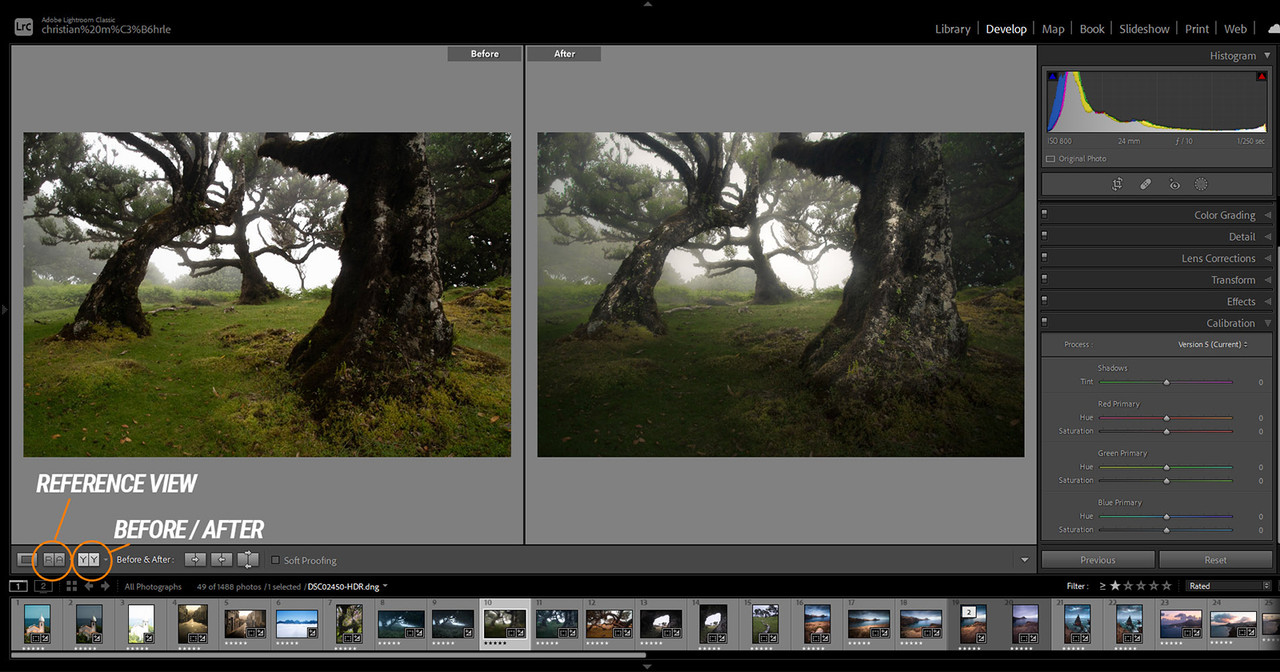
What's New

HOMEPAGE
https://adobe.com
Buy Premium Account From My Download Links & Get Fastest Speed.
https://filestore.me/zghwfwyeldn7
https://filestore.me/4o9d744lkiff
https://filestore.me/y5cln36v611f
https://filestore.me/owyi80927llg
https://nitroflare.com/view/3911F1A84408CBF
https://nitroflare.com/view/40EB51A83921BF6
https://nitroflare.com/view/F6733DB0D32629E
https://nitroflare.com/view/316962F56E6BCE7
https://rapidgator.net/file/8c91b385b51bb4db1587985b1d0b4d16
https://rapidgator.net/file/e6645affb80db54056a77c5040139e15
https://rapidgator.net/file/90b362448389f739add78766ff45bf92
https://rapidgator.net/file/58cee96b4e9450c01773a7ef46f80cf9
See full article