CFTurbo 2022 R2.4 (88) Win x64
Date: 26 May 2023 | Posted by: voska89

Free Download CFTurbo 2022 R2.4 (88) | 123.0 mb
Product:CFTurbo
Version:2022 R2.4 (88)
Supported Architectures:x64
Website Home Page :
https://cfturbo.com/Languages Supported:multilanguage
System Requirements:Windows *
Size:123.0 mb
Languages Supported: English, Deutsch
The Team CFturbo announced the launch of CFturbo 2022 R2.4 (88). This update includes fixes to various user-reported issues from the previous release, providing an overall more stable experience.
CFturbo 2022 R2.4 (88) Changelog - Date: 27.04.2023
15433 major Main dimensions impeller Unshrouded option activated during loading model for Barske impeller
15522 major Blade edges Rounding of trailing edge not applied to splitter blade in some cases
15421 major General Error when removing design steps in airfoil design mode
15461 minor Export Dead info tooltip in Simerics Mesh Settings
15515 minor General Auto fit view not applied to Cordier diagram when switching between abs. and rel. display
15525 minor General Empty directory path in Project information
15336 minor Blade properties Unnecessary blade angle calculation for simple blade shapes
15536 minor Export Export directory for batch run not modifiable
15488 minor Export Incompatible encoding of SolidWorks macro file
15541 minor 2D graphic Overlapping of informational values in meridional view
15507 minor Help Update documentation related to batch actions structure
15538 minor Meridional contour Infeasible contour design for activated tangential connection
15477 minor Blade profiles axial No detection of self-intersections in blade profiles contour
15494 minor Export Missing model state export setting
15327 minor Fluid In case of fans it is no possible to extract air data from Coolprop
15517 minor Volute diffuser Diffuser diameter selection not accessible
15474 minor Functions Auto fit view disabled for some approximation functions
15481 minor Meridional contour Error handling for radial/ axial impeller geometry
15496 minor Main dimensions impeller Incorrect impeller type icon displayed for centrifugal impellers
15443 minor Export CreoParametric: files are exported using a wrong file name
15542 tweak 2D graphic Main dimensions supporting lines in meridian schematic sketch disappear
15325 tweak Fluid Allow project dependent fluid lists in the fluid manager
15470 text CFD setup Zoom buttons for inlet/ outlet do not work as expected for radial inflow gas turbines
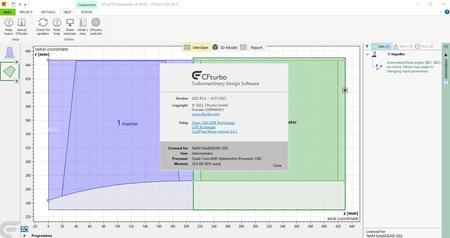
CFturbois made to interactively design radial, mixed-flow and axial turbomachinery: pumps, ventilators, compressors, turbines. The software is easy to use and does enable quick generation and variation of impeller, stator and volute geometries. Several models can be displayed, compared and modified simultaneously. It contains numerous approximation functions that may be customized by the user in order to implement user specific knowledge into the CFturbo-based design process. In spite of the creation of semiautomatic proposals, fundamental experiences in turbomachinery design are helpful but not necessary. An experienced turbomachinery design engineer should be able to design new high-quality impellers and volutes more easily and quickly.
Conceptual Design of a Cryogenic Rocket Turbopump with CFturbo
In this video, we'll be demonstrating the conceptual design of a Cryogenic Rocket Turbopump with CFturbo.
CFturbois headquartered in Dresden, Germany, with another office in Brooklyn, New York. Founded in 2008, CFturbo is an industry leader in turbomachinery design software. CFturbo services customers spanning a wide variety of industries including aerospace & defense, automotive, energy, oil & gas, HVAC, marine, process industry, appliances and medtech.
DOWNLOAD LINK
Rapidgator
http://peeplink.in/e56f64a1599c
Uploadgig
5shl8.CFTurbo.2022.R2.4.88.rar
NitroFlare
5shl8.CFTurbo.2022.R2.4.88.rar
Links are Interchangeable - Single Extraction
See full article